Color
Geometry
Effects
Other
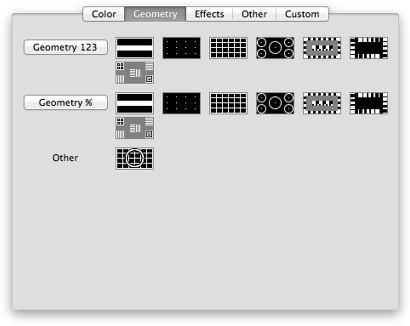
Geometry patterns
RGB color space.
These tests are appropriate for projectors and CRT monitors.
Use these test patterns to check and adjust the picture about:
-
Focus.
Tests: Focus; Dots.
Step through the tests and try to focus the image for all figures and dots.
Tips:
- Adjust the focus control if available.
- Adjust the picture size.
- Decrease the contrast.
-
Uniformity of objects' size and shape.
Some of geometry tests contain same or similar objects: rectangles, circles, etc.
Check them to be of equal size and shape.
-
Size and position.
Grille & Circles test.

|
Adjust the position and size controls to maximize the output image.
Check and fix:
- The dashed line should be visible.
- Fix all trapezoid, tilt, pincushion, etc. issues.
- The big circle should be (almost) perfectly round.
- If circles are not perfect they should have the same aspect ratio.
|
-
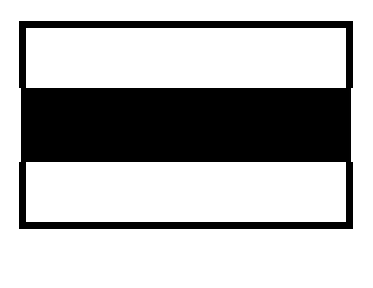
Video signal level and image width.
High voltage test.
Some monitors expand the image in bright areas and shrink it in dark ones.
This is because of the high-voltage regulation inside the monitor.
The effect is visible in almost all CRT monitors.
|
- Check the change of the image width when the color is changed from black to white and back.
- Fix it if possible.
- Reduce the brightness & contrast.
- Reduce the intensity of the background, for example, use gray instead of white.
- Invert colors: ⌃⌥⌘ 8
The goal is to reduce the beam current level and so the effect.
- Remember the value of the width change and consider it later when the viewable image is maximized.
|
-
Pincushion and barrel.
|
All tests with grille.
|
-
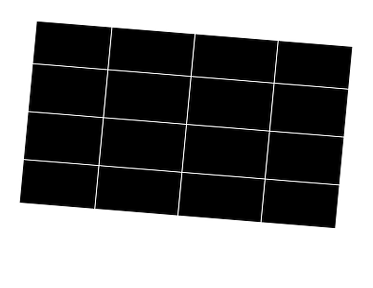
Tilt and Rotation.
|
All tests with grille.
|
-
Trapezoid.
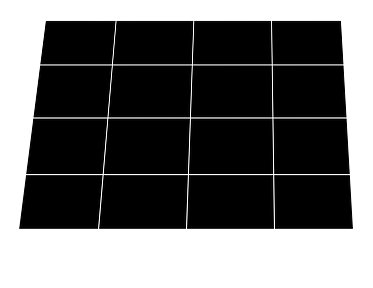
|
All tests with grille.
|
-
Orthogonality and parallelogram.
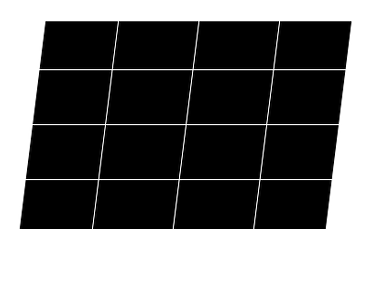
|
All tests with grille.
|
Organization
All tests are organized in 3 groups:
- Geometry 123.
The size of figure in test template can be tuned: 64 px, 32 px and 16 px.
- Geometry %.
The size of figure in test template can be tuned gradually in a smooth way.
- Other.
The Grill & Circles test is a simplified combination of the Grille and Circles tests.
Tuneup
- The color of all tests can be tuned.
- The size of figures in "Geometry 123" and "Geometry %" tests can be tuned.


