

1. Open the shade center
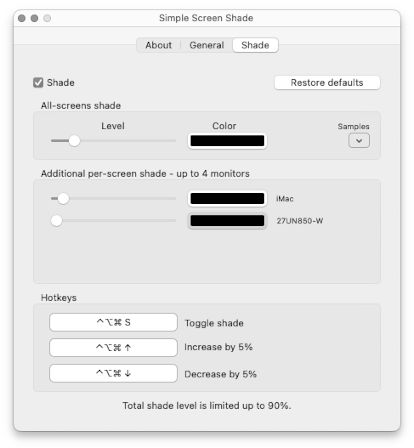
Any parameter of the shade can be changed from the shade center.
2. Driving the shade via keyboard
Sometimes it's appropriate to drive the shade via hotkeys, especially when you have a hard input by the keyboard.
So open the shade center and remember the settings in the Hotkeys section.
Driving the Common shade level:

|


| ||||


© 2012-2024 CODERACE
Apple, the Apple logo, App Store, Mac, Mac OS X and macOS are trademarks of Apple Inc.