If you have hard times with our apps and you can't find a solution here - please drop us a line at:
support

coderace.net
We will do our best to answer you for one working day.
What is the Grid
v1.9 & next
- myPoint Grid is the application. It includes application menu,
application framework and three modules - Crosshair, Grille and Coordinates.
- The Grid is just a common name for both crosshair and Grille.
In myPoint Grid 1.9 & next all modules are independent parts.
v1.1 - v1.7
- myPoint Grid is the whole application. It includes application menu,
application framework and all three modules - Crosshair, Grille and Coordinates.
- In previous versions, the Grid was a concept enveloping both Grille and Crosshair modules.
The program rules:
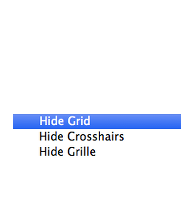
- The user can show and hide Grid, Grille, and Crosshair by hotkeys or from myPoint menu.
- If one of Grille and Crosshair modules is turned on, it also shows the Grid.
- If all modules are turned off, the Grid is also turned off.
- If the Grid is turned off, all modules are also turned off.
- When the Grid is turned on, Grille and Crosshair will restore their state.
Note: When the Grid is off because of turning off all the modules,
showing Grid will show all modules.
- If one of the modules is turned on when the Grid is off,
then only this module will be visible,
regardless of the state of the other module.
The working style:
- Use "Hide Grid" in order to restore the current state of modules later.
- Use "Hide module" in order not to restore it automatically when you turn on the Grid later.
- Use "Show module" when the Grid is off in order to work only with this module.
- Use "Show Grid" in order to restore the last state of all modules.