

|
If you have hard times with our apps and you can't find a solution here - please drop us a line at:
support
 coderace.net We will do our best to answer you for one working day. Simple Screen Shade vs. myPoint Shade
Both applications are built on the same idea.
However, they specialize in different directions:
Simple Screen Shade, Safety, and User Experience
In Simple Screen Shade, the shade level is limited to 90%.
Thus avoiding full shading and the User Experience is guaranteed.
Is the shade ON or OFF?
The shade can be turned OFF. There are three reasons:
Notes:
When read and write
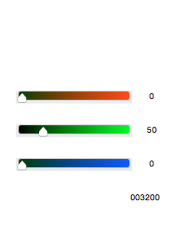
If your primary work is related to text, you can set a Money Green shade (gray with a touch of green).
This color is very gentle to the eyes during long reading.

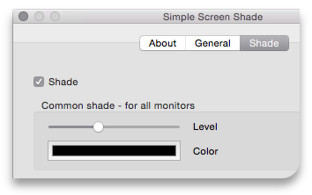
Shade settings:
Processing images with vivid and bright colors
Each vivid picture can be easily darkened with a gray shade.
The gray shade will preserve the relation between colors. It will keep your eyes relaxed.
When necessary to work with true colors - just turn the shade off with the hotkey
(default hotkey ⌃⌥⌘ S).

Shade settings:
When watching dark pictures and movies
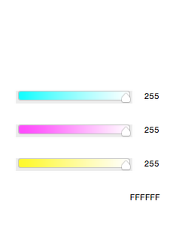
If the picture is too dark, you can adjust it with a white shade.
This way, you will see more details in dark areas.
Note: this technique does not improve the image quality. It just lightens the image. 
Shade settings:
Day & Night
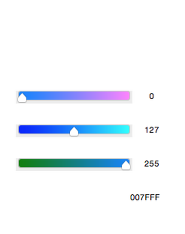
If the room is lit by the sun or the lamps mimic daylight, add blue shade (deep sky blue is pretty good).
Thus, the picture looks more natural.

Shade settings:
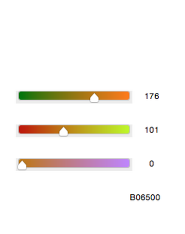
And vice versa - at night or in a dark room, add ochre, dark goldenrod, or ginger shade.
Warmer colors will not irritate your eyes. 
Shade settings:
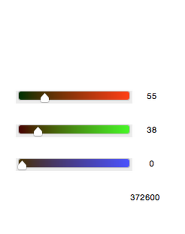
If the room is completely dark, add a dark chocolate shade.

Shade settings:
|


| ||||||||||||||||







© 2012-2024 CODERACE
Apple, the Apple logo, App Store, Mac, Mac OS X and macOS are trademarks of Apple Inc.